
Virtual Staging: When Digital Furniture Transforms Real Estate Marketing
Virtual staging is reshaping how properties reach buyers online. For brokers, developers, multifamily teams, and property marketers staring at empty rooms that photograph poorly, understanding when and how to use this tool can make a huge difference in listing performance.
What Is Virtual Staging (and Why It Matters Now)
Virtual staging is a digital marketing technique used in real estate that uses computer software to add 3D furniture to photographs of empty rooms. Instead of hauling sofas and dining tables into a vacant home, designers or AI tools place realistic virtual furniture, artwork, rugs, and accessories into listing photos-producing images that show what a space could look like when occupied.
This is different from physical staging, which involves renting and arranging real furniture on-site, and from simple image enhancement, which adjusts exposure, color, or contrast without changing what's in the frame. Think of an empty Atlanta condo where buyers can't gauge whether their sectional will fit, or a new Dallas townhome where bare rooms feel sterile and small on screen. Virtual staging solves both problems without a moving truck.
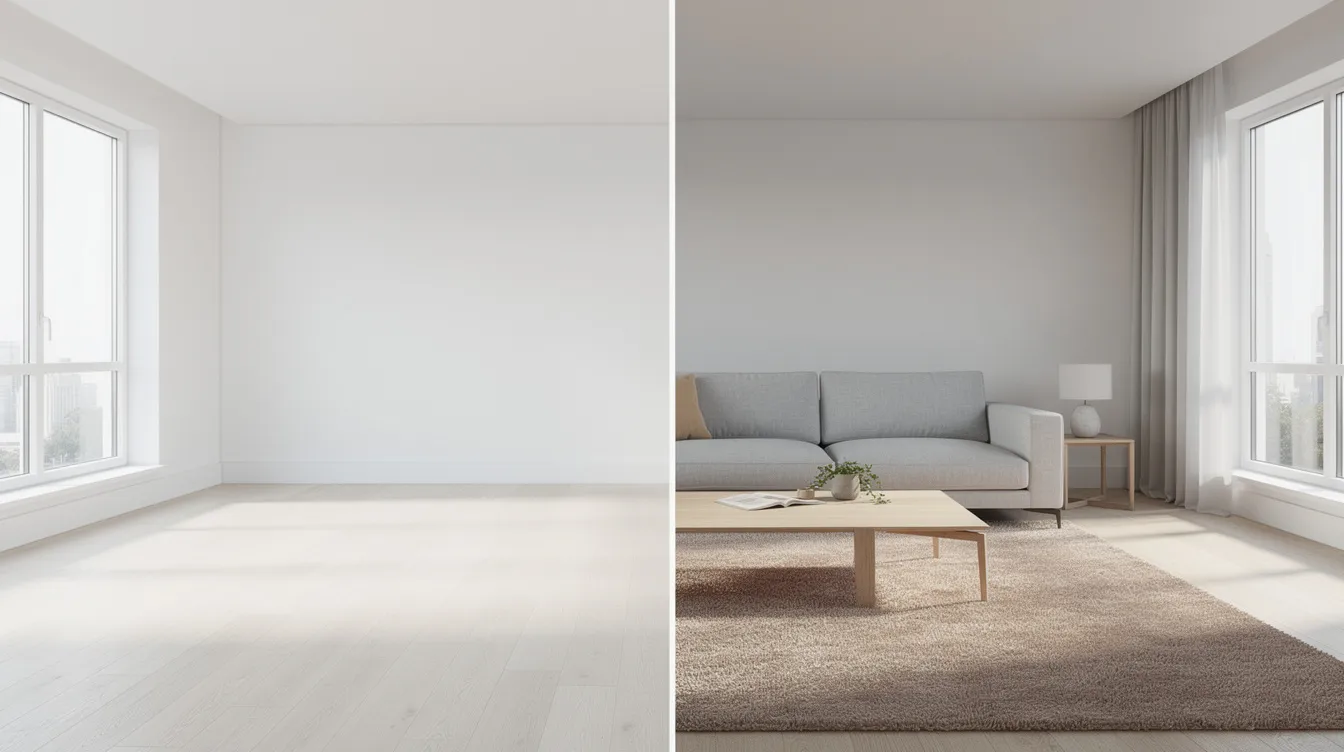
This article focuses on real estate virtual staging for brokers, multifamily teams, builders, developers, and property marketers. Here's why it matters now: 100% of buyers use the internet in their home search, and 81% of buyers think home staging helps visualization. Virtual staging allows for easy swapping of decor styles and layouts, and it helps buyers visualize the space more clearly-critical advantages when your listing photos are the first (and sometimes only) impression.
Key takeaways:
- Virtual staging adds digital furniture and decor to photos of empty or under-furnished properties.
- It is distinct from physical staging (real furniture) and image enhancement (exposure/color corrections).
- Virtually all home searches now start online, making compelling listing photos non-negotiable.
Virtual Staging vs. Physical Staging: When Each Approach Wins
Both approaches have a role. The question is which one fits the property, the budget, and the timeline.
Physical staging:
- Uses real furniture and accessories placed on-site, giving buyers an in-person sensory experience.
- Higher cost-often $1,500 to $4,000 or more per home, plus delivery, setup, and rental periods.
- Best for luxury listings where buyers expect the same level of finish in person as they saw online.
- Involves logistical coordination: furniture delivery, potential damage, scheduling around showings.
Virtual staging:
- Places digital furniture and styling onto listing photos at a fraction of the cost per image.
- Offers a quick turnaround-hours instead of days-and the flexibility to test multiple furniture styles.
- Ideal for vacant homes, partially built spaces, and portfolios with many similar units.
- Virtual staging can be up to 97% cheaper than physical staging.
Concrete scenarios where each shines:
- New-construction multifamily lease-up with 40+ identical units: virtually stage representative units, physically stage one model. The savings are substantial.
- A 1920s Atlanta bungalow with awkward rooms: virtual staging can demonstrate how awkward or empty rooms could function with different layouts, without the cost of staging each configuration.
- A Dallas Class B office conversion to residential: virtual staging shows potential buyers how raw industrial space becomes a livable loft-testing urban industrial or modern styles without moving a single piece.
Both can work together. Physically stage the main living area for open houses, then use digitally staged rooms for secondary bedrooms and flex spaces. And regardless of method, the ethical requirement stands: disclose digitally staged rooms and keep at least one unstaged photo per room for transparency.
How Virtual Staging Supports Modern Real Estate Marketing
Virtual staging is not an optional extra-it's a core listing asset. With 90% of buyers starting their search online and needing quick engagement, listings with attractively furnished photos capture buyers' attention instantly. Virtual staging makes listing photos more compelling and inviting, and the data backs this up.
- Captures attention on Zillow, Realtor.com, Redfin, and social media feeds where thumbnails determine clicks.
- Helps potential buyers visualize scale, possible furniture layouts, and traffic flow in empty rooms.
- Makes floor plan graphics and Matterport tours easier to interpret when paired with staged stills.
- Reduces days on market by presenting move-in-ready visuals for empty or under-furnished properties. Homes that are staged sell 75% faster than unstaged homes, and 83% of staged properties sell for the asking price or above.
- Roughly half of surveyed real estate professionals report reduced time on market due to staging.
Specific use cases where virtual staging delivers:
- Single-family listings where vacant homes photograph poorly.
- Multifamily lease-ups where staging every unit physically is impractical.
- Build-to-rent communities needing consistent property marketing visuals across dozens of units.
- New construction spec homes and model units that aren't yet furnished.
- Urban micro-units and uniquely shaped lofts where buyers need help imagining the layout.
Real estate pros can use virtually staged images well beyond the MLS listing-in flyers, email campaigns, printed brochures, and social media ads to increase buyer interest across channels.
When Virtual Staging Works Best (and When It Does Not)
Not every room or property benefits equally from virtual staging. Knowing where it helps and where it can backfire is what separates strategic use from wasted spend.
Ideal rooms to virtually stage:
- Empty living rooms, great rooms, and open-concept spaces that feel cold or undefined.
- Primary bedrooms where buyers struggle to gauge bed size and furniture placement-NAR data shows the living room is staged in 91% of cases and the primary bedroom in 83%.
- Dining room areas, nooks, and flex spaces that need a clear purpose (office, playroom, gym, guest suite).
- Amenity spaces in multifamily projects (clubrooms, coworking lounges, rooftop decks).
Proceed carefully:
- Spaces with significant defects (water damage, unfinished construction) where staging must not hide issues.
- Very small rooms that could be misrepresented with overscaled furniture styles.
- Luxury listings where buyers expect the same tactile finish in person as online.
Usually avoid:
- Tight hallways, mechanical rooms, storage closets where virtual furniture adds confusion rather than clarity.
- Exterior shots where digital staging could cross into heavy manipulation (e.g., fake views, unrealistic landscaping).
Treat this as a decision checklist. If staging a room clarifies function and scale without misleading buyers, proceed. If it risks creating a gap between the photo and the walkthrough, reconsider.
From Raw Photo to Staged Room: How the Process Works
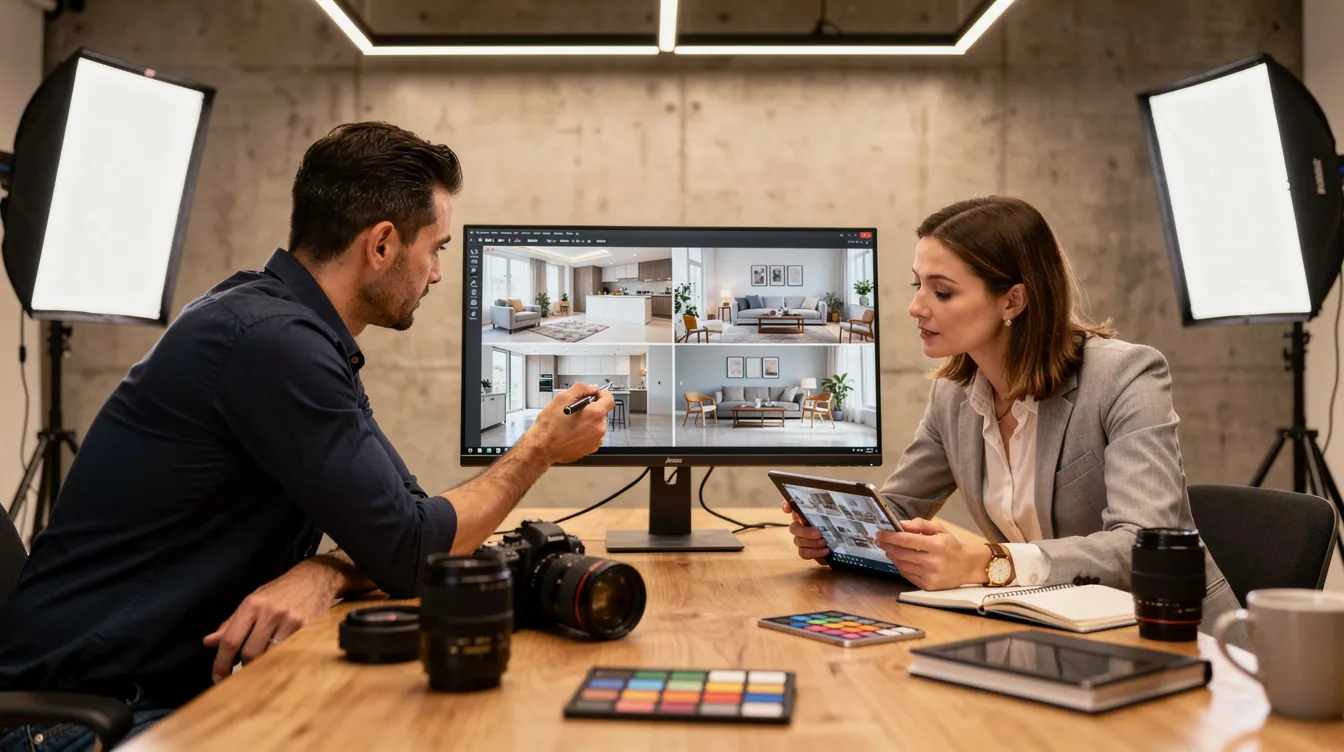
A typical virtual staging project at Masterly Property Visuals follows a structured workflow from initial consultation through delivery. Here's what each step looks like:
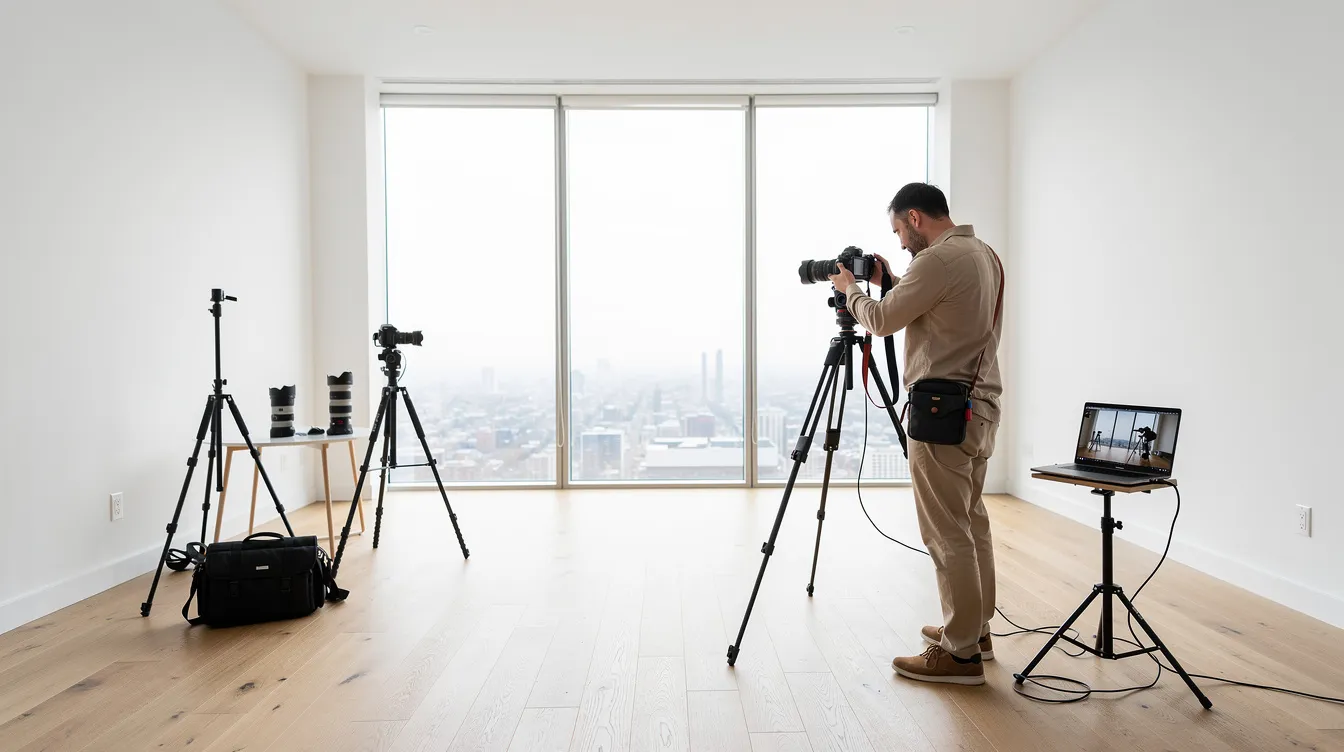
- Source photography: professional, well-lit, high-resolution photos are essential. A real estate photographer who understands composition and exposure produces source images that stage cleanly. Masterly's commercial studio capabilities in Atlanta (Buckhead) and Dallas ensure ideal starting material.
- Room selection: prioritize hero spaces-living room, kitchen, primary suite-and the marketing angles most likely to appear as lead images. Most agents focus budget on 3–6 key shots.
- Style selection: clients choose furniture styles (modern, transitional, farmhouse, urban, luxury) that match the property and target buyer demographic.
- Digital staging: designers or AI powered virtual staging tools add scaled virtual furniture, lighting, rugs, artwork, and accessories. Traditional virtual staging involves human designers manually placing 3D models-this can take hours per image. AI virtual staging tools like REimagineHome and Collov AI stage photos in under one minute; Collov AI can generate staged images in seconds. Apply Design offers a drag and drop editor for furniture placement but takes over 10 minutes to stage one photo. BoxBrownie stages images in under 48 hours with human virtual staging precision.
- Quality control: checking scale, perspective, shadows, window views, and color balance so digitally staged rooms feel believable. Kitchen appliances and other permanent fixtures should remain unchanged.
- Review and revisions: a collaborative revision process ensures alignment. Some virtual staging tools advertise unlimited revisions, and many providers include free revisions in their packages. Clients can request adjustments to furniture placement, color, or style.
- Turnaround: virtual staging images can be delivered in 4 to 8 hours for standard projects, and AI-driven workflows can hit record time. Plan staging into your listing calendar rather than rushing at go-live.
Choosing Furniture Styles That Match Your Buyer and Your Brand
Furniture styles drive emotion. The wrong style creates cognitive dissonance; the right one makes a buyer picture move-in day.
- Modern / contemporary for new-construction condos, high-rise rentals, and urban infill projects.
- Transitional for broad suburban appeal in family neighborhoods and master-planned communities.
- Farmhouse / rustic for acreage properties, historic renovations, or Southern charm markets around Atlanta and Dallas suburbs.
- Urban industrial for lofts, warehouse conversions, and creative office-to-resi projects.
- BoxBrownie provides multiple furniture styles to choose from, and users can upload their own furniture pieces for staging on some platforms-useful for builders with brand-specific design palettes.
- Collov AI allows users to type commands for customization, making style adjustments user friendly and fast.
Coordinating styles across a listing package matters:
- Keep a consistent design language across all staged images.
- Match colors and textures to existing finishes (floors, cabinets, counters).
- Avoid mixing clashing furniture styles between rooms.
Masterly Property Visuals can work from client moodboards or sample photos to apply design direction that aligns with brokerage or builder branding.
Technical Foundations: Source Photos, Floor Plans, and Tours
This section is for marketing and operations teams who manage the production pipeline.
Source photo quality:
- Professionally shot images (correct exposure, composition, and color) dramatically improve virtual staging realism. A single image with poor lighting or distortion can undermine the entire set.
- Common issues to avoid: extreme wide-angle distortion, heavy HDR halos, blown-out windows, and phone snapshots. These problems make even high-end virtual staging tools produce unrealistic results.
Pairing staging with other assets:
- Using floor plan graphics alongside virtually staged images helps buyers understand true room dimensions-critical for avoiding surprises at showings.
- Coordinating staged stills with Matterport tours or other 3D walkthroughs creates a seamless story of the property. You can even stage Matterport tours to align still images with interactive experiences.
Consistency across the listing:
- Keep lighting direction and time of day consistent across the full listing package.
- Maintain similar furniture styles and color palettes in all staged rooms to deliver photorealistic results that feel cohesive.
Ethics, Disclosure, and Buyer Trust
Ethical virtual staging is not about deception. It is about clarifying potential while preserving honesty. Industry discussions emphasize the importance of transparency in virtual staging, and 100% of REALTORS must be honest in marketing communications per the National Association of Realtors Code of Ethics.
Disclosure best practices:
- Clearly label virtually staged images as such on the MLS, property websites, and brochures. Virtually staged photos must be clearly labeled.
- Maintain transparency by disclosing virtually staged images in listing remarks and photo captions.
- Keep at least one unstaged photo of each room in listings so buyers can see the actual condition.
What must not be altered:
- Do not digitally remove structural issues, power lines, or major permanent features that would mislead buyers. Virtual staging should not misrepresent the property.
- Avoid changing views, ceiling heights, or window positions-this crosses into misleading buyers.
Appropriate enhancements:
- Decluttering or virtually removing minor items (existing furniture, personal belongings) when agreed with the seller is generally acceptable.
- Neutralizing wall colors, adding realistic lighting, and tightening compositions while still representing the true space.
Following local regulations, MLS rules, and professional association guidance is essential. The listing agent should consult their broker if unsure about disclosure requirements in their market.
Integrating Virtual Staging into the Full Listing Package
Virtual staging works best when integrated across the entire property marketing plan, not treated as a one-off add-on.
MLS and listing strategy:
- Use the strongest staged images as the first 3–5 MLS photos to set the tone for the listings.
- Create before-and-after sliders for property websites and presentations to sellers-showing the empty room alongside the virtually staged image builds credibility.
Multichannel usage:
- Repurpose staged visuals in social ads, email campaigns, printed brochures, and signage QR code destinations.
- Coordinate with video walkthroughs and short social clips that transition from empty to staged versions of the same room.
Internal workflows:
- Align listing coordinators, photographers, and marketing teams on file naming and versioning (e.g., "living-room-empty" vs. "living-room-virtual-staged").
- Document which images are virtually staged in listing notes so agents can set proper expectations at showings.
Masterly Property Visuals can consult on end-to-end listing visual strategy-not just staging individual photos but building a cohesive visual package across every channel.
How Masterly Property Visuals Approaches Virtual Staging
Masterly Property Visuals is a property marketing visuals partner based in Atlanta and Dallas, serving builders, developers, and real estate pros who need more than a quick upload-and-stage workflow.
Approach:
- Start with a property visual consultation to understand the target buyer, listing strategy, and how virtual staging fits with photography, video, and floor plan assets.
- Leverage commercial architectural photography expertise to produce ideal source images for staging-quality source photos are what separate convincing results from obvious fakes.
Production workflow:
- Collaborate with clients on furniture styles and room priorities using moodboards, sample images, or brand guidelines.
- Apply digital staging in a way that supports brand consistency for brokerages, multifamily portfolios, and new-home communities.
Support and service:
- Provide guidance on which rooms to stage, where to disclose virtual staging, and how to use staged images across marketing channels. This includes a security service layer for managing source files and staged versions.
- Offer an easy communication channel (phone, email, remote review sessions) for feedback and adjustments.
Ready to pick virtual staging as part of your next listing strategy? Request a property visual consultation with Masterly Property Visuals. Call (404) 726-7261 or visit the Masterly Property Visuals website to get started.
FAQs: Virtual Staging for Real Estate, Answered
Virtual staging raises practical questions for real estate industry professionals. Here are the most common, answered directly.
Is virtual staging allowed on my MLS? Nearly all U.S. MLSes permit virtual staging with mandatory disclosure. Rules vary-some require on-image watermarks, others need specific phrasing in listing remarks. Always check your local MLS board's current policy and label every virtually staged image clearly.
How realistic can digital staging look compared to physical staging? When starting from professionally shot source photos, today's virtual staging tools produce photorealistic results that most buyers cannot distinguish from physical staging in online listings. Quality depends heavily on source photo lighting, composition, and the staging provider's attention to scale and shadows.
Can you virtually remove existing furniture before staging? Yes. Many providers can digitally remove existing furniture and restyle the room, as long as architectural features remain unchanged. This is an acceptable form of digital staging when properly disclosed.
How many images should I stage for a typical listing? For a single-family home, 3–6 hero images is the standard. Condos may need 2–4. Multifamily model units benefit from 4–8 images covering living, bedroom, kitchen, and amenity spaces. How many photos you stage depends on budget and which rooms tell the strongest story. Vacant properties can benefit significantly from virtual staging across more rooms.
Does virtual staging work with Matterport tours and floor plans? Yes. Staged stills paired with floor plan graphics and Matterport tours give buyers a layered understanding of the space. Some providers can also stage Matterport tours directly, adding furniture into 3D walkthroughs.
What happens if buyers see an empty home after viewing staged photos? Set expectations in the listing description and at showings. Label photos as virtually staged, and include at least one unstaged photo of each room. A realtor who manages this transition transparently builds trust rather than disappointment.
Can virtual staging help with pre-leasing or pre-selling units still under construction? Absolutely. Render-ready photos of unfinished spaces can be virtually staged to show future-finished rooms-valuable for pre-leasing multifamily projects and pre-selling spec homes. Just make clear which images represent projected finishes.
How do I get started with virtual staging for my next listing? Request a property visual consultation with Masterly Property Visuals. The team will help determine which rooms to stage, what styles match your market, and how staged images fit into your full listing package. Call (404) 726-7261 to begin.

Recent Posts