Corporate Headshots: Building a Consistent Leadership and Team Image Across the Company
Your corporate headshot is often the first impression you make on a prospect, recruiter, or journalist. When the leadership team uses polished, matching portraits and the rest of the company shows up with selfies and conference snapshots, the gap is visible. This guide walks you through building a corporate headshot program that keeps every person, office, and new hire visually aligned.
Why Corporate Headshots Matter for Your Business Brand
Picture a B2B software company updating its "About" page in 2026. The CEO's portrait was shot in a studio three years ago. The VP of Sales submitted a cropped wedding photo. Two engineers used LinkedIn selfies with visible ceiling fans. When a prospect clicks from a pitch deck to that page, the visual dissonance raises a question: does this company have its act together?
Professional headshots influence how others perceive you. A strong personal brand attracts the right audience, and people prefer to work with professionals who have strong personal brands. According to research cited by TeamShotsPro, consistent brand presentation correlates with a 23% increase in revenue on average. That number ties directly to how leadership and team members present themselves in marketing materials, press releases, email signatures, and trade shows.
A professional headshot is essential for social media and marketing materials. The difference between one-off professional headshots for individuals and a coordinated corporate headshot program is scope: one person gets a great photo; an entire organization gets a visual system. That system shows up on your corporate website, in pitch decks, annual reports, conference speaker bios, and internal directories. It affects recruiting (candidates judge company culture by the team page), client trust (consistency signals professionalism), and internal morale (employees feel like part of something intentional).
From Random Photos to a Corporate Headshot System
The default state at most companies is a patchwork. Remote teams submit phone photos. New hires go months without a headshot. The marketing team patches together whatever exists, and the result is a team page where no two pictures share the same background, crop, or color temperature. Among 120 U.S. organizations surveyed by Henry David Photography, one in three clients said they sought new headshots because existing ones looked inconsistent, not because they looked bad.
Headshot planning is a specification problem, not a scheduling problem. Preparation is key for achieving a professional corporate headshot. Virtual headshots can be coordinated for over 1,500 team members when the specs are locked down first. The goal is a repeatable process that lets every new hire slot into the existing library without a full reshoot.
Here is a four-step framework that the rest of this article details:
- Plan. Define your visual style in a written guide. Decide on background, crop, expression, and lighting specs. Set refresh triggers (new hire, rebrand, two-year cadence).
- Capture. Run photo sessions on-site, through a local photographer network, or via virtual uploads. Follow the spec on every shoot.
- Edit. Apply uniform retouching, color grading, and output sizes. Centralize post-production so every final image matches.
- Maintain. Store images in a central library with metadata. Retire outdated photos. Onboard new hires into the process automatically.
Defining Your Corporate Headshot Style Guide
A written Corporate Headshot Style Guide removes guesswork. When a photographer in Austin and another in London both receive the same document, their output matches. When a new hire in a remote city uploads a self-shot photo, the retouching team knows what "correct" looks like.
Start with framing. Frame the shot from the chest or mid-torso up for standard employee headshots; leadership or executive headshots often use a tighter shoulders-up crop. Document the crop ratio: 4:5 vertical works for LinkedIn and most web contexts, while 1:1 square fits internal tools like Slack or HRIS directories. Leave safe space above the head and below the shoulders so designers can re-crop without cutting into the subject.
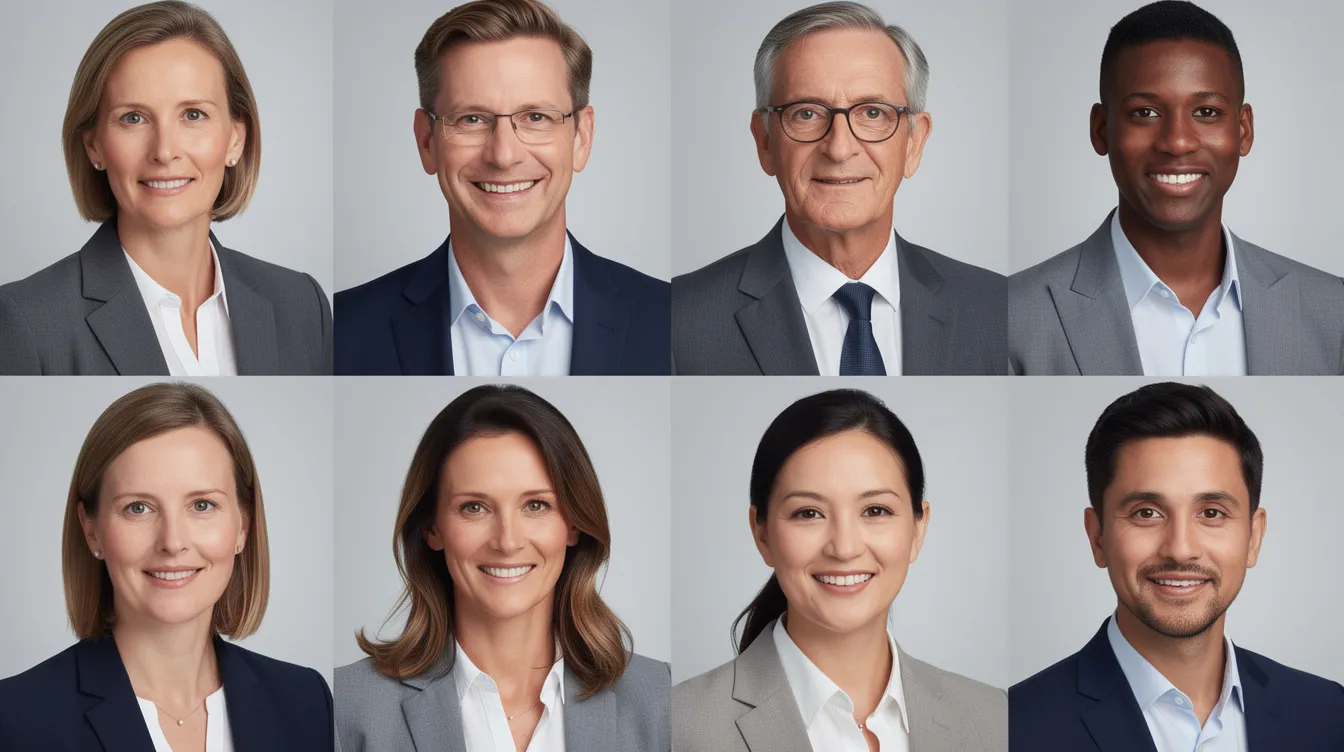
Expression matters more than most companies realize. A genuine smile creates a more approachable expression in headshots. Set a standard: natural, confident, teeth optionally visible, eyes engaged. If leadership portraits call for a slightly more formal look, note that separately. When images are assembled on a single page, mismatched expressions (one big grin, one stone-faced stare) pull attention away from the brand.
Align backgrounds with your website and brand palette. Approved background colors might include solid light gray (#F0F0F0) for general staff and a brand blue (#123456) for leadership. Avoid logos and prominent text that can distract from the face in headshots. Select a background that complements the outfit and industry context.
Here is a sample style guide excerpt you could adapt:
"Background: solid light gray (#F0F0F0). Crop: chest-up, head centered, 4:5 vertical. Expression: natural smile, eyes open and engaged. Lighting: key light at 45° above subject, fill to soften shadows by 1.5 stops, rim light optional. Wardrobe: solid neutral or brand-color accents. Retouching: skin texture preserved, no body reshaping, eyes and teeth subtly brightened. Minimum resolution: 1200px wide for web."
Backgrounds, Lighting, and Studio Quality Consistency
Lighting and backdrop are the two variables that create the most visible drift when corporate headshots are shot at different times, locations, or by different photographers. A 2026 industry report found that 41% of clients sought new headshots because of inconsistency rather than poor quality.
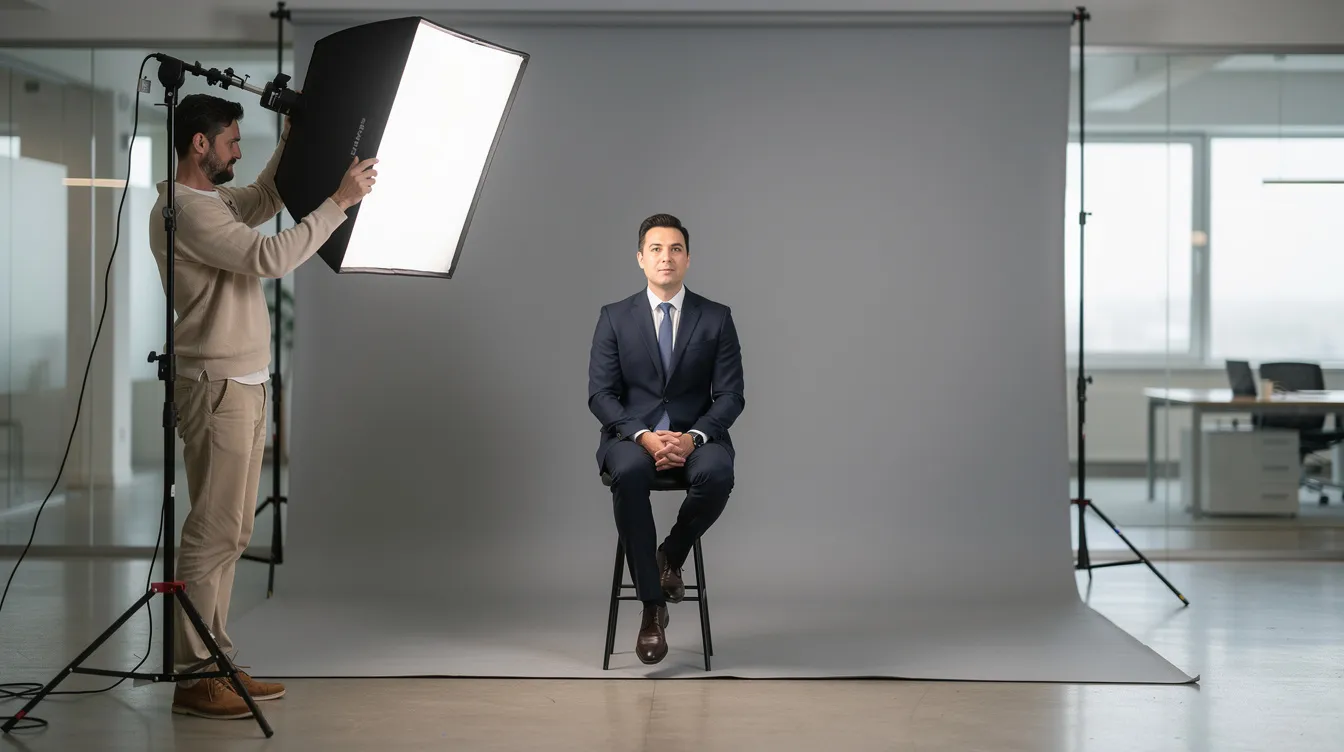
Three background options work for most organizations. Neutral seamless backdrops (light gray, off-white) offer the most control and consistency. In-office environmental backgrounds (glass conference rooms, architectural features) add authenticity but require matching depth of field and blur across locations. Digital or virtual backgrounds serve remote hires but need careful production to avoid artifacts. Solid, neutral backdrops are effective for corporate headshots because they keep backgrounds clean and uncluttered to focus on the subject.
A classic three-point lighting setup enhances dimensionality in headshots. Use soft, diffused lighting to minimize shadows and blemishes. The key light highlights the subject's good side, typically a medium softbox at 45 degrees. A fill reflector on the opposite side softens shadows. A kicker light adds definition to the backside of the head, creating separation from the backdrop.
Natural light is crucial for quality headshots too; when studio lights aren't available, window light with a reflector can approximate the look.
Use a focal length of 80 to 120 millimeters to avoid lens distortion on faces. Position the camera at eye level or slightly above for a natural perspective. Use a shallow depth of field to create visual separation from the background. Document these technical specifications (focal length, backdrop distance, camera height, light positions) so any photographer or pod can replicate the look.
BusinessPortraits.ca identifies six variables that must match across locations: background, lighting, lens, framing, pose, and post-processing.
Wardrobe and Grooming Guidelines for Team Members
Send this section as a one-page prep guide to employees 7 to 10 days before their session. Clear direction prevents awkward conversations on shoot day and keeps all company headshots cohesive.
Clothing:
- Wear solid, neutral colors or jewel tones for corporate headshots (navy, charcoal, soft white, emerald, burgundy).
- Avoid busy patterns to prevent visual distraction in headshots. Skip large logos, stripes, and heavy prints.
- A well-tailored fit improves the appearance of clothing in headshots. Loose or bunched fabric around the shoulders reads as sloppy on camera.
- Strategic layering adds dimension to upper body attire in photographs. A blazer over a solid shirt or a scarf with a clean neckline works for both formal and smart-casual environments.
- Executives may lean toward suits or structured blazers. Creative teams can go smart-casual, but everyone follows the same color and pattern rules.
Grooming:
- Schedule haircuts 3 to 7 days before the shoot so hair settles naturally.
- Use light powder to reduce shine under studio lights. Avoid heavy makeup unless standard for your brand.
- If you wear glasses, ensure they have anti-glare coating. Tilt the key light slightly to eliminate reflections.
- Avoid last-minute tanning, new facial hair styles, or drastic hair color changes; these create mismatches when the gallery is viewed together.

On-Site Corporate Headshots: Workflow for Offices and Events
Schedule headshots at least 1 to 2 weeks in advance. For a 50-person office, one half-day (three to four hours) covers the team if you book five to ten minute slots per person. Leadership sessions need more time; aim for 30 minutes per individual headshot session for executives who require extra posing direction and wardrobe changes.
Prepare a designated shooting area in the office. Choose a quiet room with consistent power, minimal ambient light interference, and enough depth for a backdrop plus lights. A conference room or unused large corridor works. The photographer needs about 30 to 45 minutes for setup: mounting the backdrop, positioning lights, tethering the camera to a laptop or tablet for live review.
Before the first real session, test photos ensure desired results before the actual shoot. Use a volunteer to verify lighting, exposure, and framing. A wooden box helps adjust height for diverse subjects; bring a wooden box for height adjustments during shoots so every person's eyes hit the same spot in frame.
Confirm details with the photographer before the shoot: crop ratios, number of final selects per person, and delivery format.
Send calendar invites with time slots to every team member and follow up with email reminders 24 hours and one hour before their slot. For a company with two floors and 100 staff, split the shoot across two days (morning on one floor, afternoon on the other). Walk-in or overflow slots catch anyone who misses their window.
Consistent Headshots for Remote and Multi-Location Teams
Distributed teams hired across time zones rarely have access to a central studio. Over half of enterprises running headshot programs operate in more than one physical location. That makes remote teams a first-class use case, not an edge case.
Three options keep portraits consistent across geography. First, a local partner network of photographers who each receive your style guide and technical specifications. This produces real camera quality but requires tight vendor management. Second, virtual headshots where team members can upload headshots directly from their cell phones, then a retouching team edits the images to match your corporate standard. Virtual headshots can be customized with different backgrounds to align with brand requirements. Hand-edited virtual headshots ensure studio-quality results. Third, automated pods or photo stations in regional offices with pre-set lighting and backdrop, useful where new hires cycle through regularly.
Lock in background, crop, and retouching rules for every vendor. Store reference images in a central headshot library or DAM folder. When the Ophirex biotech team needed unified leadership portraits across six states, they used a remote workflow that delivered 480+ variations in under 24 hours. Clear deadlines, automated reminders, and a prep guide help employees who feel uncomfortable with the entire process; make headshot submission a standard part of new-hire onboarding so nobody falls through the cracks.
Retouching Standards, File Delivery, and Turnaround Time
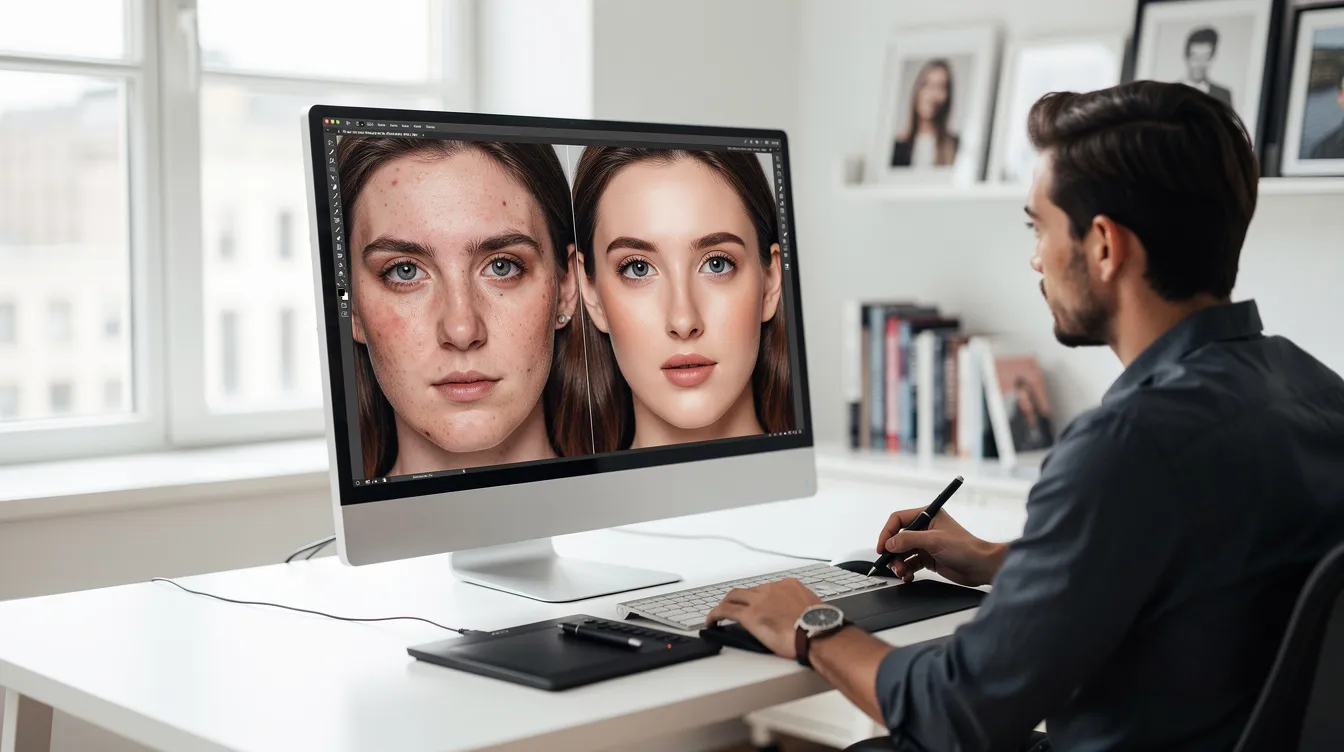
Standardized retouching keeps pictures across leadership and staff looking polished but real. Subtle retouching should preserve natural skin texture in headshots. The goal is cleanup, not transformation.
What professional headshot retouching typically includes:
- Skin cleanup: remove temporary blemishes, smooth minor imperfections, preserve pores and texture.
- Stray hair fixes: tame flyaways without altering the hairstyle.
- Eyes and teeth: subtle brightening, no dramatic whitening.
- Lint and background cleanup: remove distracting particles, even out backdrop tone.
- Editing includes adjustments to skin texture and background corrections.
Set written limits for vendors: no heavy body reshaping, keep natural features intact, maintain clothing color fidelity. Provide sample before-and-after references so every retoucher hits the same standard.
Headshots.com uses a three-stage editing process for consistency. Each headshot is hand-edited for studio-quality finish. A three-stage editing process guarantees consistency across headshots: initial color and exposure correction, detailed retouching, then a final review. Final images undergo a review to ensure quality standards are met before delivery.
For file specs, deliver high-resolution JPGs (300 DPI minimum) for print, optimized web versions (72 to 150 DPI) for your corporate website and LinkedIn, and transparent PNGs for design teams layering portraits onto marketing materials.
Turnaround time for edited headshots is typically 5 to 7 days for a full team. Priority delivery for urgent leadership portraits or press needs can compress that timeline.
Building and Maintaining a Central Headshot Library
Create a central, searchable location for all corporate headshots. This could be a DAM platform, a dedicated folder in your brand portal, or an HRIS attachment field. The point is one source of truth, not images scattered across Slack threads, email attachments, and desktop folders.
Track metadata for each image: name, role, office or location, shoot date, file version, and approved uses (website, speaker cards, internal directory, press releases). When the marketing team receives a conference speaker bio request or a media inquiry, they pull the approved file from the library instead of hunting through old emails.
Keep images current. Among surveyed organizations, the average refresh interval was 2.4 years. Set a review cadence of every two to three years, or sooner if someone's appearance changes or they're promoted to an executive role. Retire outdated photos so they don't resurface in new business pitches.
Assign ownership. The brand or marketing team typically approves any new headshots before they enter the library. HR coordinates scheduling and reminders. This split keeps the process moving without bottlenecking either team.
Corporate Headshot Budgeting, Scheduling, and Stakeholder Alignment
Before contacting a headshot photographer or platform, align your stakeholders on scope. Three questions shape the budget: how many team members need photos today, how many new hires you expect over the next 12 to 18 months, and how many locations or remote regions are involved. If you need group portraits or group shots alongside individual headshots, that adds time and setup.
A one-time photo day works when many participants are co-located, but it becomes inefficient as remote hires trickle in and existing photos age. An ongoing headshot program spreads cost across the year, covers continuous hiring, and prevents the visual drift that builds over time.
Internal alignment clarifies who approves the visual style (usually marketing), who manages scheduling (HR or operations), and who signs off on final selects for leadership portraits (often the executive themselves or a brand manager). Without these roles defined, decisions stall and the project drags.
The clearest next step is to request a corporate headshot consultation. Bring your current business headshots, brand guidelines, and a rough headcount by location. A structured conversation maps out the entire process before you lock dates or budgets.
Frequently Asked Questions About Corporate Headshots
How often should we update our corporate headshots? Most organizations update every two to three years. Industry data shows the average interval is 2.4 years. If your brand undergoes a visual refresh, or if individual employees experience notable appearance changes, update sooner.
Can we mix studio and environmental backgrounds? You can, but only if your style guide defines acceptable variation and post-production unifies color temperature and brightness. Without those controls, mixed backgrounds create visual drift that's obvious when photos sit side by side on a team page.
What if some employees are camera-shy? Send a prep guide with wardrobe and posing examples so people know what to expect. Encourage them to focus on a genuine smile and remind them that the photographer's job is to help them feel comfortable. Short sessions (five minutes for the actual capture) reduce stress.
How do we handle new hires after the main photo day? Fold new employees into the existing program using the same style guide. If they're remote, use a virtual upload workflow. If local, schedule a session at the next available date. Their final image goes into the central library in the correct format and crop.
Can remote teams match our in-office style? Yes, if the style guide is detailed and vendors or remote tools follow the same specs for background, lighting direction, and camera settings. Team members upload from their phones, retouchers match the corporate look, and the result reads as studio photography.
What should we avoid in corporate headshot sessions? Avoid busy patterns, prominent logos, and inconsistent backgrounds. Avoid over-retouching that erases skin texture or alters facial features. These mistakes undermine the professionalism the photos are meant to convey.
How do we get started planning corporate headshots for our company? Request a corporate headshot consultation. An experienced provider will review your current imagery, help you define a style guide, and plan sessions for leadership, employees, and remote teams based on your headcount and locations.
How to Get Started with Company-Wide Corporate Headshots
The framework is straightforward: Plan your style guide, Capture using standardized specs, Edit with uniform retouching, and Maintain a central library that grows with every hire. This applies to executives, in-office staff, and remote teams equally.
Request a corporate headshot consultation to audit your current imagery, lock in visual standards, and schedule your first sessions. Come prepared with examples of your current photos, your brand guidelines, and a rough headcount by location.
After the consultation, finalize your style guide, book your first photo dates, and set an annual review of the headshot program. The companies that treat this as a system rather than a one-time event are the ones whose team pages, pitch decks, and LinkedIn profiles look like they belong to the same organization.
Contact us to book a corporate headshot consultation for consistent portraits across all your team members and offices.
Recent Posts